Mini PCs for Business: Are They Good Enough for Office Work?
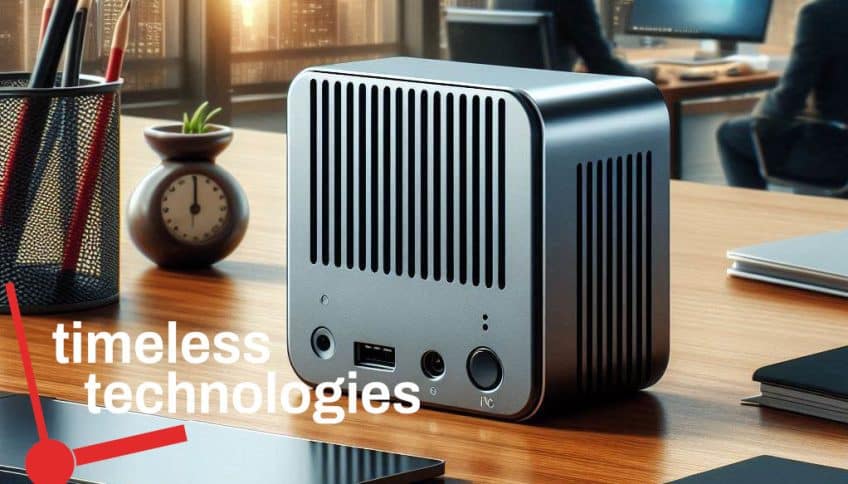
Are Mini PCs good for Office Work and Tasks?
Yes, a properly specified mini PC can handle everyday business applications such as Microsoft 365, web-based systems, video meetings and general administration. However, businesses should evaluate performance, security, ports, upgradeability, warranty, business IT support and device management capabilities—not size and purchase price alone. Here’s why mini PCs are good enough for office work and tasks:
Mini PCs Space Efficiency
One of the most significant advantages of mini PCs is their space-saving design. Unlike traditional desktop towers, mini PCs are compact and can fit into the tightest of spaces. This is particularly valuable in office settings where desk space is often at a premium. By opting for mini PCs, offices can free up valuable desk real estate, leading to a tidier, more organized workspace.
Adequate Performance for Office Tasks
Contrary to the perception that smaller computers are less powerful, many mini PCs are equipped with processors and memory configurations that are more than capable of handling typical office tasks. Tasks such as word processing, spreadsheets, email management, and web browsing do not require high-end hardware. Modern mini PCs, even those with mid-range processors and 16GB of RAM, can easily manage these applications without any performance issues or increased endpoint cybersecurity risks from lower capability.
Energy Efficiency
Mini PCs are generally more energy-efficient compared to their larger counterparts. Their smaller size means they require less power to operate, which can result in lower electricity bills. This not only benefits the environment by reducing energy consumption but also offers a cost-saving advantage for businesses looking to reduce operational expenses.
Quiet Operation
Many mini PCs are designed with quieter operation in mind. Their compact size often means fewer moving parts and less heat generation, which can translate into a quieter work environment. For office settings where a peaceful atmosphere is conducive to productivity, the reduced noise levels of mini PCs can be a significant advantage.
Affordability
Mini PCs are generally more affordable than traditional desktops or high-end laptops. This makes them a cost-effective solution for equipping an office, especially for small to medium-sized businesses or startups. The lower upfront investment, combined with reduced energy costs, makes mini PCs a smart financial choice for office environments.
Portability
Despite their small size, mini PCs are highly portable. This is useful in dynamic office environments where employees may need to relocate their workstations or when setting up temporary workspaces. Their portability is obviously not as good as a Notebook or Tablet but their small size does make it possible that a mini PC could be moved between business locations and home for work from home scenarios. Where a notebook might not be sufficient, moving a large desktop computer is not easy but a Mini PC can offer a solution between those two extremes.
Easy Setup and Maintenance
Mini PCs are typically straightforward to set up and maintain. They often come with all the necessary components built into a single unit, reducing the need for additional peripherals and cables. This ease of setup translates into less time spent on installation and troubleshooting. Additionally, their compact design usually means fewer issues with dust accumulation and cooling, leading to lower maintenance requirements.
Mini PCs Versatility
Mini PCs offer a high degree of versatility. They can be used as standard office machines, or repurposed for other roles such as digital signage, media centers, or even as lightweight servers. Their flexibility allows businesses to adapt the same hardware to a variety of functions as needs evolve.
Mini PCs Connectivity Options
Modern mini PCs come with a range of connectivity options, including multiple USB ports, HDMI outputs, and Ethernet connections. These features ensure compatibility with a wide array of office peripherals, such as printers, external drives, and monitors. This connectivity flexibility helps to integrate mini PCs seamlessly into existing office setups.
Conclusion
Mini PCs are more than just a trend—they are a practical solution for many office environments. Their compact size, efficient performance, energy savings, and affordability make them well-suited for handling everyday office tasks. As businesses continue to seek ways to optimize their operations while managing costs, mini PCs offer a smart, effective choice that meets both functional and financial needs and no reduction in proactive monitoring and maintenance capabilities.
Would a Business Mini PC suit my needs?
| Business Workload | Mini PC Suitability |
| Microsoft 365 and browser applications | Usually suitable |
| Reception, POS and administration | Usually suitable |
| Video meetings and dual monitors | Suitable with the correct ports and specification |
| Light development work | Potentially suitable; verify memory and processor requirements |
| Graphic design and light media editing | Conditional |
| CAD, 3D and professional video | Often unsuitable without specialist hardware |
| Local virtualisation or AI workloads | Usually requires higher-end equipment |
| Business server | Use purpose-built infrastructure unless properly engineered |
If you have a business use case and you are considering whether a Mini PC would be a suitable option, contact us now and we’ll be able to give you concise advice on your unique needs.